Your Amazon Keyword Might Have Zero UK Searches: How to Check Yours (Free)
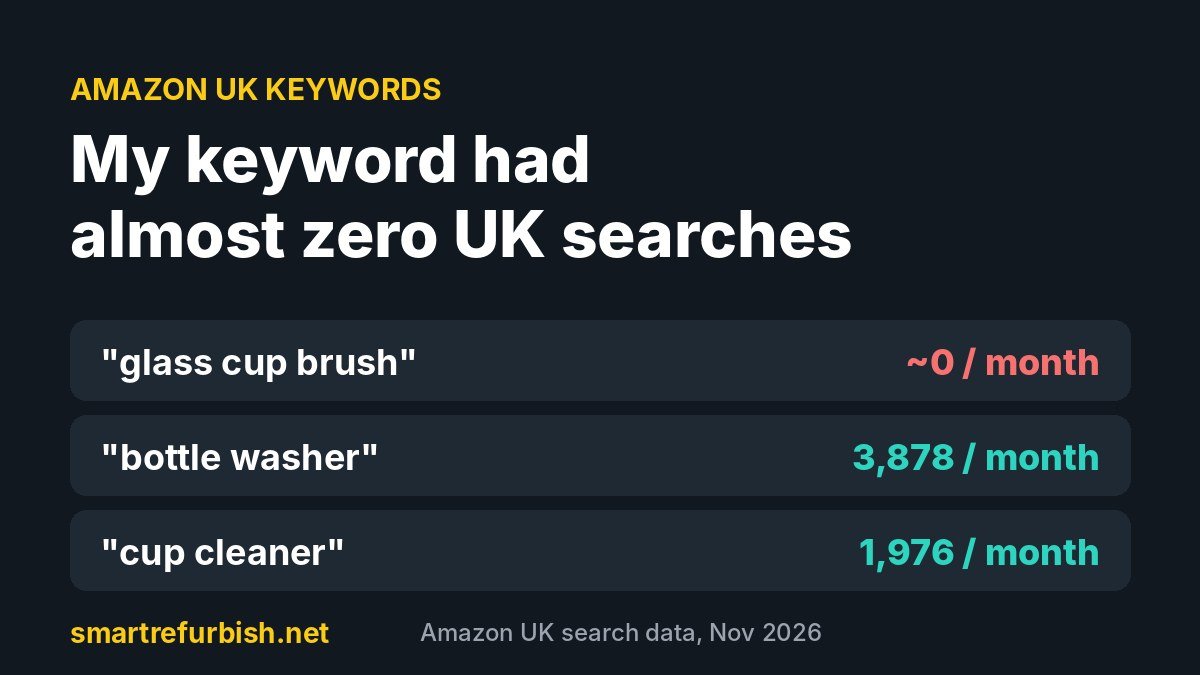
Are your Amazon UK keywords the words shoppers actually type? I found out mine wasn’t. I’d been calling my product a “glass cup brush” in my ads. When I checked real Amazon UK search data, that phrase had almost no searches at all.
Here’s what I found, what UK shoppers type instead, and how you can check your own Amazon UK keywords in about 10 minutes.
My Amazon UK keyword mistake
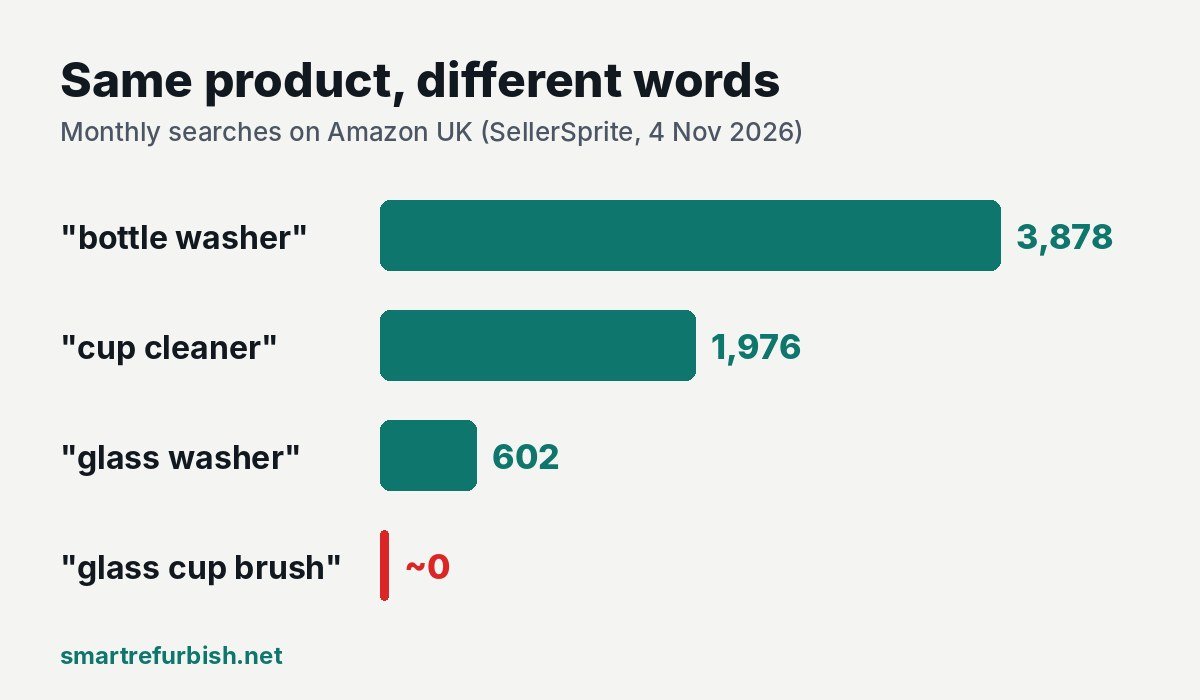
I sell a glass cup washer with suction cups on Amazon UK and in my own shop. To me it’s a “glass cup brush”, so that’s the phrase I used in my ads. On 4 November 2026 I ran the phrase through a keyword tool (SellerSprite) set to the UK marketplace.
- “glass cup brush”: only 6 results, and only one was even relevant. There was no measurable monthly search volume.
- “bottle washer”: about 3,878 searches a month on Amazon UK.
- “cup cleaner”: about 1,976 searches a month, with a suggested ad bid of only around £0.30.
- “glass washer”: about 602 searches a month.
In other words, shoppers are looking for my product. They just don’t use my words. So I’m now putting “cup cleaner” and “bottle washer” into my title, bullets and ads.
Why UK keywords are different
- British English: UK shoppers search “washing up”, “hob”, “jug” and “kitchen roll”, not “dish soap”, “stovetop”, “pitcher” and “paper towels”.
- US data misleads: many keyword tools default to Amazon.com. A phrase can be huge in the US and tiny in the UK. Always switch the marketplace to United Kingdom before you trust a number.
- Sellers name products differently from buyers: you know your product’s proper name. Shoppers describe the job it does (“cup cleaner”) or the thing it cleans (“bottle washer”).
- Misspellings count: for “cheese grater”, the misspelling “greater” gets about 9,000 UK searches a month. You can’t put a misspelling in your title, but you can add it to your back-end search terms.
How to check your Amazon UK keywords (free)
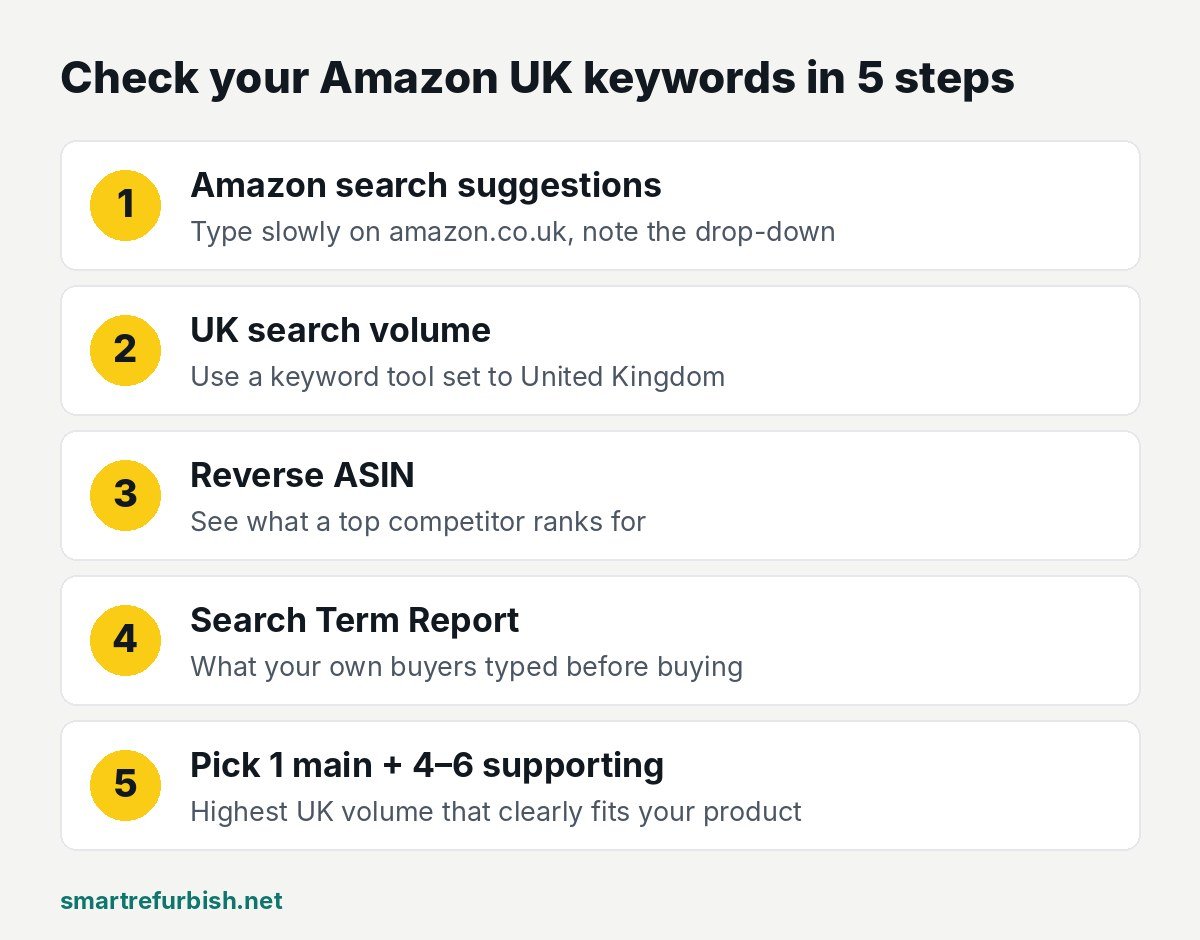
- Start with Amazon itself. Type your product’s job into the amazon.co.uk search bar slowly, for example “cup cl…”, and write down the suggestions that drop down. These come from real UK searches.
- Look up UK search volume. Use a keyword tool and set it to the UK. In my test, SellerSprite showed UK monthly searches and ad bids on a new account. Helium 10’s free plan works too, with daily limits. My full comparison is here.
- Reverse-search your competitors. Put the ASIN of a best-selling competitor into a “Reverse ASIN” tool. It shows which UK searches that listing gets found for. Those are the words that bring buyers.
- Check your own Search Term Report. If you run Sponsored Products ads, go to Seller Central or the Amazon Ads console and open your search term report. It shows what people typed before they clicked and bought. Mine showed real phrases like “sink glass cleaner” and “beer glass cleaning brush”.
- Pick 1 main keyword and 4 to 6 supporting ones. Choose the phrase with the most UK searches that clearly describes your product. Put it near the start of your title. Use the others in your bullets, and put misspellings and extras in your back-end search terms.
Where to put your Amazon UK keywords
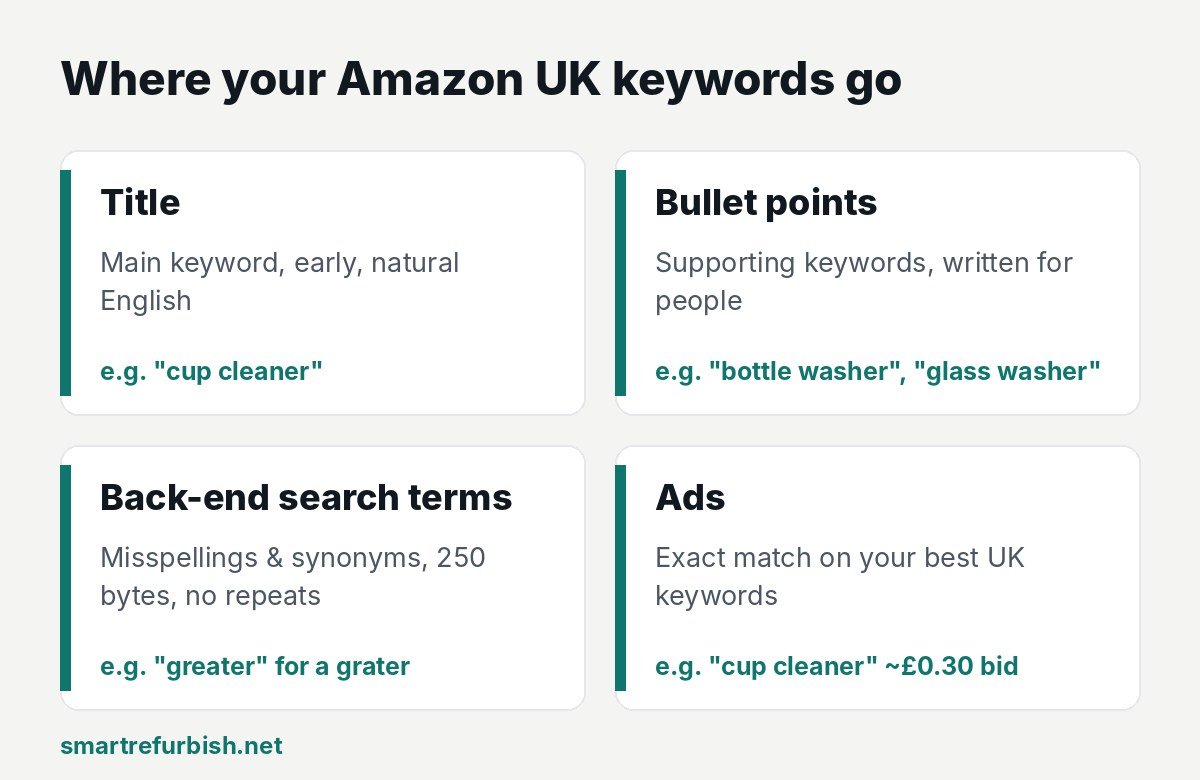
- Title: your main keyword, early, in natural English. Without Brand Registry, Amazon may not accept title changes. See my guide to editing a listing without Brand Registry.
- Bullet points: supporting keywords, written for people, not robots.
- Back-end search terms: misspellings, synonyms and words that don’t fit naturally anywhere else (up to 250 bytes). Don’t repeat words that are already in your title.
- Ads: bid on exact-match versions of your best UK keywords. Cheap, high-volume phrases like “cup cleaner” at about £0.30 are a great start.
Common mistakes
- Trusting US search data for a UK listing.
- Using the name you call your product instead of the words shoppers type.
- Stuffing the title with every keyword, which makes it hard to read and can hurt conversions.
- Never checking the Search Term Report, which is free and based on your own buyers.
Want me to check your keywords for you?
My Starter makeover (£25) includes UK keyword research for your product. You get a new title, 5 bullet points, a description and back-end search terms, all built around what UK shoppers actually search. I use the same method I used on my own listing, and you upload everything yourself, so I never need your login.
Send me your listing link and I’ll reply within 24 hours with what I’d change. The review is free.
Search figures are from SellerSprite (Amazon UK, checked 4 November 2026) and change monthly, so treat them as a guide.